A weekly planner app does something a single day’s page can’t: it shows the next seven days at once, while there is still time to change them. This post walks through how to plan your week in one, step by step, using a Sunday night from our film in VoiceFirstPlanner.
One disclosure up front: VoiceFirstPlanner is ours. The week used here is the one in the film, and the film is further down the page.
What a week is for
A day planner answers “what now?”. A weekly planner answers “what’s coming?”. The film opens on the line that names the gap between the two: “Every Monday arrived like it had never been mentioned.”
The week and the day hold the same appointments and the same tasks. They are seen from two distances. The day is for getting things done. The week is for seeing them coming, and for catching the ones that collide while there is still time to do something about it.
Step 1: Say the fixed points, once
It’s Sunday night. The week’s fixed points get said out loud, four short sentences, each one a tap:
- “Meeting with Sarah tomorrow at 11 a.m.”
- “Pilates every Thursday at 6:30 p.m.”
- “Haircut on Wednesday at 2 p.m.”
- “Add send the invoices on Friday as an A priority.”
Each lands on its own day. Sarah goes on Monday at eleven. The haircut goes on Wednesday at two. The invoices go on Friday as a task, with their A.
Pilates is the one to notice. One sentence put it on Thursday, and on the Thursdays after it. A repeating appointment is said once, and the series keeps topping itself up as the weeks go by, so it never quietly runs out.
Step 2: Read the next seven days on one page
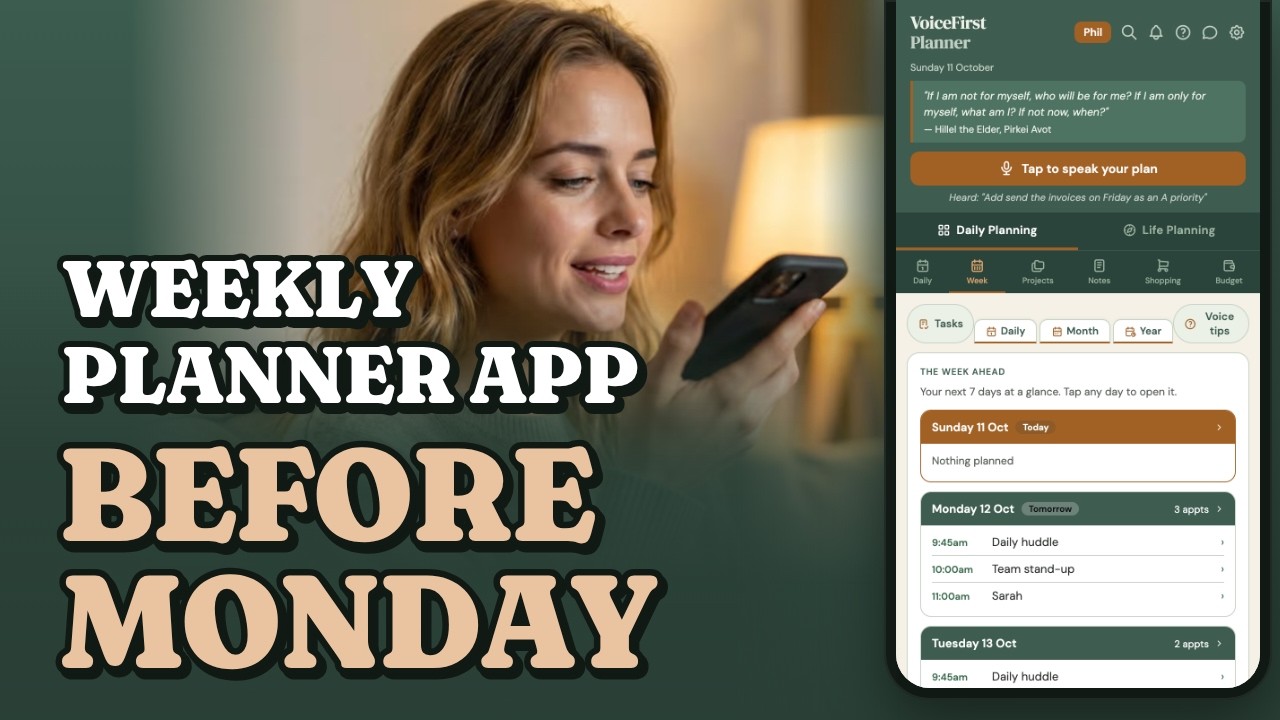
Then the Week Ahead. It shows the next seven days on one page, starting today, each day with its appointments in time order and then the tasks still open. A tap on any day opens it.
In the film, Monday reads the stand-up at ten, then Sarah at eleven. Thursday has Pilates at six thirty. Friday has the invoices, with their A. Nothing had to be copied from one page to another to get there: the week is built from what was said.
Step 3: Look for the clash
A weekly planner app is where the clashes show, while there is still time to move them. In the film there is one: Wednesday, two o’clock, twice. The project review was already in the week. The haircut has just been booked on top of it.
The planner doesn’t flash a warning. The week simply shows both at 2:00, one under the other, and the clash is caught on Sunday night instead of on Wednesday afternoon. That is the whole point of reading the week before it starts.
Step 4: Move it before the week starts
Wednesday is opened, and both are there, at two. The haircut is tapped, its time changed to three o’clock, and saved. Back in the week, Wednesday reads 2:00 project review, then 3:00 haircut.
Moving an appointment is a tap and a new time, not a crossing-out. Wednesday works, and it was sorted out before Monday began.
Step 5: Let the days take over
Once the week is set, each day’s page carries its own part of it: the times on the schedule, the tasks in priority order. Whatever doesn’t get done on Tuesday is on Wednesday’s list, marked carried, without being written out again. The week is planned once, and the days do the rest.
For a bigger goal, Pro adds one more tool: the AI goal breakdown proposes a week of tasks toward it, and nothing lands in the planner until it has been approved.
See the week, before it starts
In this film: Sunday night, four sentences said on a phone, then the next seven days on one page, a clash on Wednesday, and the haircut moved to three. The film was made on a paid plan.
Prefer YouTube? Watch it there ↗
An online weekly planner, on phone, iPad or computer
VoiceFirstPlanner runs in any browser, so it is an online weekly planner: the same week on a phone, an iPad or a computer, with nothing to install.
On an iPad held sideways, Planner view opens the week across the full width of the open planner, and when the iPad stays at home the same week is on the phone. Planner view is part of the free plan.
How to plan your week, in short
The whole Sunday night, in five steps:
- The week’s fixed points, said once each, repeats included.
- The next seven days, read on one page.
- A look for two things at the same time on the same day.
- The one that gives, moved before Monday.
- Each day carrying its own part, and whatever is left rolling on.
Common questions
How do you plan your week?
In the film it is done on Sunday night, before the week starts. The fixed points go in first: appointments, anything that repeats, and the tasks that have a day. Then the next seven days are read together, a clash is found, and one thing is moved while there is still room. In VoiceFirstPlanner each fixed point is one spoken sentence, and the Week Ahead shows the seven days on one page.
Is there a free weekly planner app?
VoiceFirstPlanner is free to start, with no card. The free plan is a working planner, with limits. The film above was made on a paid plan; Premium takes every limit off, at $3.99 a month billed annually at $47.88, or $7.99 month to month.
What is the difference between a weekly planner and a daily planner?
They hold the same appointments and tasks, seen from two distances. The week shows what is coming, so clashes can be caught in time. The day shows what to do now, in order. A planner that does both from the same entries saves writing anything twice.
Is there an online weekly planner with nothing to download?
Yes. VoiceFirstPlanner runs in the browser on a phone, an iPad or a computer, with nothing to install, and the same week is on each of them.
Found on Sunday night, not on Wednesday afternoon.
VoiceFirstPlanner is free to start, with no card.
Three books. All free with your account.
The VoiceFirstPlanner Instruction Manual, The VoiceFirstPlanner Voice Command Guide and The Voice First Life Planning System — Starter Workbook.
$19.98 for the Starter Workbook alone — all three free when you create your free account.

Not sure where to go next?
Start here: eleven reasons on one page →