Every idea and project, captured before it is gone.
A project is anything that takes more than one step — a renovation, a build, a trip, an idea you’re chasing. Speak it the moment it strikes — on the build site, between meetings — and it lands in a folder, not lost in your head.
Ocean — teal and deep sea. A cooler, quieter blue. Reach for it when the day is busy. One of six themes, all free.
The pain
The job’s information is everywhere except where you need it.
The measurement’s in your camera roll. The supplier’s quote is in email. The idea you had on the drive home is gone entirely. Every job generates a trail, and the trail scatters across five apps the moment it’s made.
“The quote was in my email, the photos on my phone, the measurements on a bit of timber.”
“I’d start every job by spending ten minutes finding where I’d put the last bit.”
“Somebody asked me where it was up to and I had to go and look.”
“Three jobs running and all of them living in the same pocket.”
A project planner app for personal projects
Not every project has a team and a chart. Most have one person, a phone full of photos and a head full of next steps. This project planner app is built for those: home projects, a DIY project, the side project, the event — one place per job, filled as you go.
The answer
Say the project’s name and everything files itself.
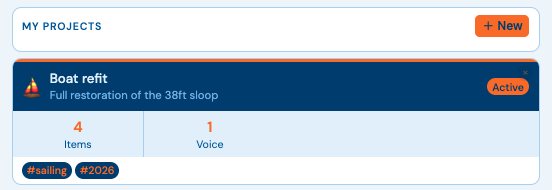
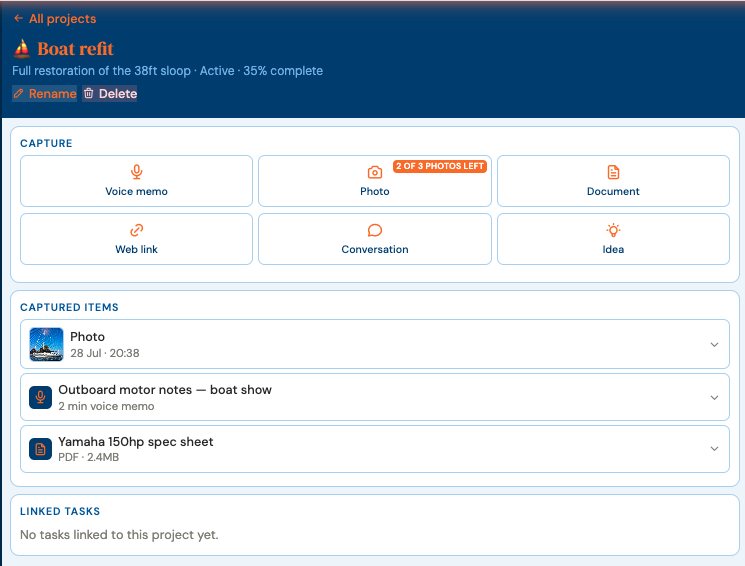
Start a project by saying so. Then capture into it six ways — a voice memo, a photo, a document, a web link, a conversation, an idea — each one starting where you already are. Name the project in the command and it routes there without you opening anything.
“Start a project called boat refit”
The project exists, ready for its first capture.
“Add idea to my Boat Refit project”
Filed by name. You never opened it.
Two projects on the free plan, three photo captures — and every capture kind is there from the start.
The photo is the point
Photograph it now. Find it filed.
Tap Photo inside the project and the camera opens there — no picking an album later, no hunting through the roll. The shot lands in that project’s captured items, dated, beside the voice memo you made about it. On site with your phone; at the desk on the big screen; same project, same trail.
Every boat I built had a folder, a notebook, a phone full of photos and a head full of things I meant to write down. Four systems for one job, and the answer was always in whichever one I didn’t have with me.
— Dave Rees, Founder. From boatbuilder, to business owner, to Founder.
How it works
How to plan a personal project: ten seconds to start.
Say it exists.Start a project called… — that’s the entire setup.
Capture as the job happens.Photos, memos, documents — from wherever you’re standing.
Put the next action on today.Keep the project’s next action on today’s plan, so the job and the day stay in step.