For fifteen years I ran my days from a paper planner. For the next twenty, I looked for something digital to replace it, and nothing did. My information ended up in different places: some on the phone, some on the tablet, some on the laptop. And that’s stressful.
So we built a planner app you just talk to. Tap the button and say it. “Dentist, Tuesday at two” goes in the schedule. “Pick up the dry cleaning” goes on today’s list. “Note: the spare key is under the blue pot” goes with your notes. Each one lands where it belongs, and the planner tells you what it did.
Voice comes first, but it isn’t the only way in. Type it if you’d rather. On an iPad, write it with the Apple Pencil. There’s no syntax to learn: start with a word like add, note, goal or bucket list, and finish in your own words.
This post walks through every page of this digital planner app, one at a time: the day, the week, notes, shopping, projects, the budget, the brain dump, planning with a busy mind, and the life planner that sits inside it all. Most parts come with what the research says about them, so you can see why it’s built the way it is.
One disclosure up front: VoiceFirstPlanner is ours. I’m Dave, and I built it.
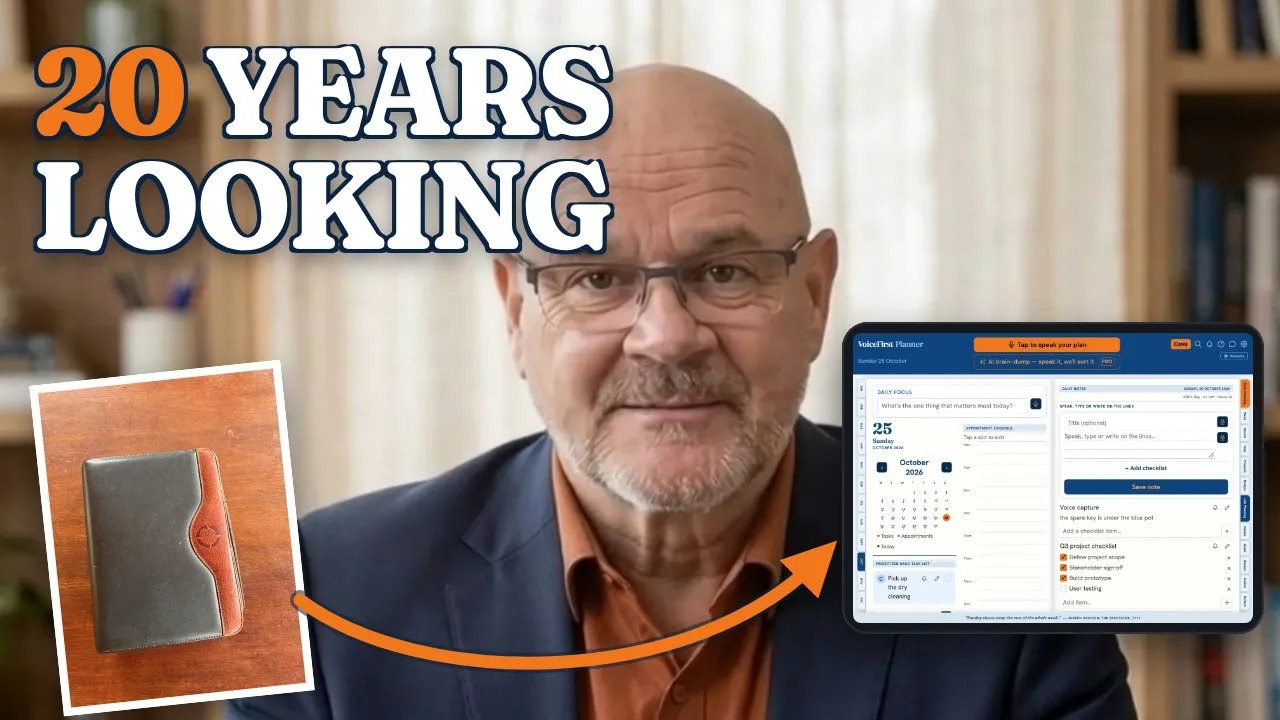
Prefer YouTube? Watch it there ↗
A simple daily planner: one focus, three bands, and nothing falls off the end
By eight in the morning, the phone has already decided how the day goes. Yesterday’s list is somewhere. The new things are louder. And the one job that actually mattered gets whatever is left of the afternoon.
It isn’t a discipline problem. Planning the day has always taken longer than not planning it, so most of us skip it, and the day happens to us instead. The day page is built to fix exactly that: it opens on today, and planning it takes about as long as saying it.
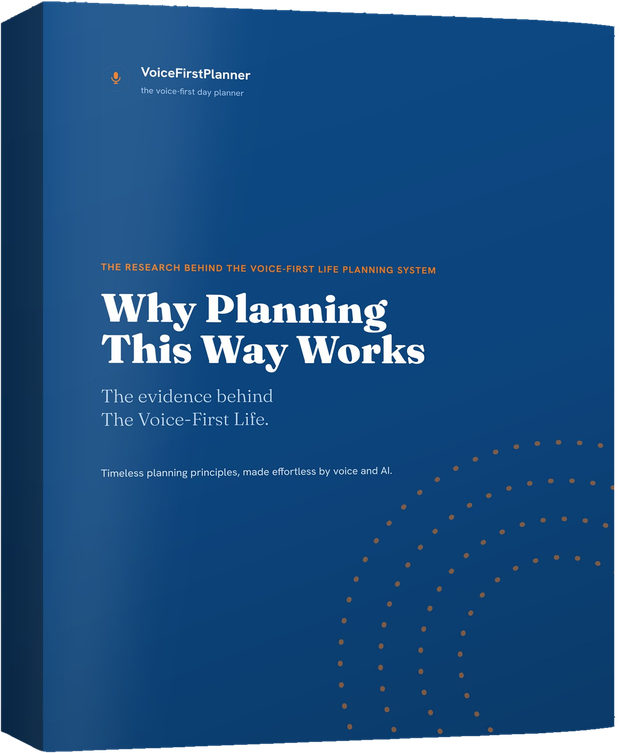
Start with one thing. This is how to use a daily planner well: name the day first. At the top sits the daily focus, the one line that names what today is really about.
“Set my focus to finishing the report”
It pins your focus to the top of the day.
Then say the tasks, with a letter. A for the must-do, B for the should-do, C for the nice-to-do. Twenty things on your mind become the two or three that decide the day, and the rest wait their turn without being forgotten.
“Add file the tax return as an A priority”
Filed in the top band, on today.
Say the times, and they book. “Dentist on June 11 at 2pm” drops onto the schedule at two o’clock, one hour long unless you say how long. Reminders are separate from tasks: “Remind me in 20 minutes to check the oven” nudges you at that moment.
And nothing falls off the end of the day. Anything you don’t tick rolls forward to tomorrow on its own, with a small tag that counts the days it has been carried. Nothing to rewrite, and nothing lost.

Prefer YouTube? Watch it there ↗
“For fifteen years I opened a paper planner at the same page every morning. The layout was never the problem — the pen was.”
On an iPad the day opens as two pages, like the paper planner did. The free plan is a free online daily planner with five daily tasks, and every band is there from the start. Premium takes every limit off. More on the daily planner →
Researchers set up a tasting table in an upscale grocery store. Some shoppers walked past twenty-four kinds of jam. Others saw just six. The researchers counted who stopped, who tasted, and the number that matters: who actually bought.
The big display drew more people in, but only about 3% of them bought. Of the shoppers who saw six jams, about 30% bought, roughly ten times the rate. The same pattern turned up when the researchers repeated it with essay topics and with chocolates: more options meant more putting it off, less action, and less satisfaction with whatever was finally chosen.
A day works the same way. Twenty equal items on a list is the twenty-four-jam table. Your mind looks at all of them and does none.
That’s why the day has one focus and three bands. The next decision stays small on purpose, because small decisions are the ones that get made.
“The morning has gold in its mouth.”
Proverb (German: Morgenstund hat Gold im Mund)
An older Latin form says the same of the dawn, aurora habet aurum in ore. The planner opens on today. A minute with it before the day starts talking back is the gold part.
Respect the plan. Don’t worship it.
“It must be respected, but it must not be worshipped as a fetish. A programme of daily employ is not a religion.”
Arnold Bennett, How to Live on 24 Hours a Day
For a day that keeps running over, he wrote: “The only cure is to reconstitute the programme, and to attempt less.” Three bands make that easy: the A’s first, and the C’s can wait.
Read more →“Add call the plumber as a B priority on Friday”
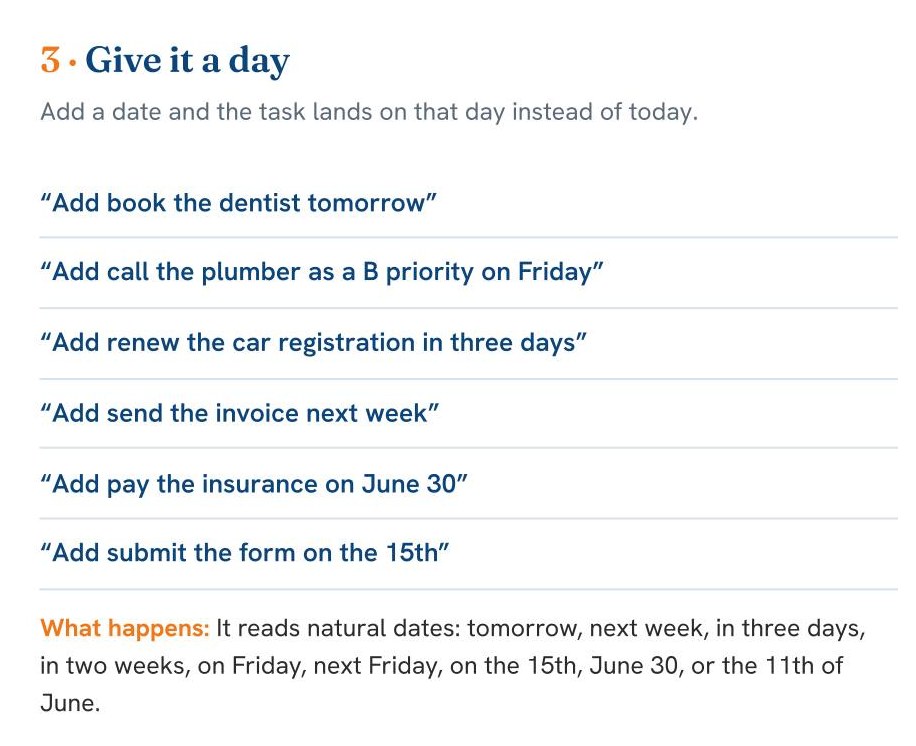
It reads natural dates: tomorrow, next week, in three days, in two weeks, on Friday, next Friday, on the 15th, June 30, or the 11th of June.
Voice Command Guide, Chapter A, page 1 →An online weekly planner: see the week on Sunday, before it ambushes you
Most weeks don’t go wrong on Wednesday. They go wrong on Sunday night, when nobody looked at Wednesday.
Pull back from the day and the same plan shows the whole week: seven days at a glance, every appointment on its day. Pull back again and the month shows every appointment in its square, then the year as twelve small months. It’s a simple weekly planner, made from the plans you’ve already put in.
Plans change, and that’s a tap, not a rewrite. Tap any appointment anywhere and everything about it opens in one sheet: move it, rebook it with the same person, change one occurrence or the whole series.
Say a repeat once, and it books the series.
“Team stand-up every weekday at 9am”
The whole series is booked, and kept topped up around 60 days ahead.
Work’s calendar comes in through a door you control. Bring in a calendar file exported from work, and every meeting comes with a tick box. Untick what you never go to, and only what you chose lands in your week. The planner says it plainly on the screen: “One-way — nothing you do here ever changes your work calendar.” One tap undoes the whole import. Your own appointments can go out as a calendar file too.
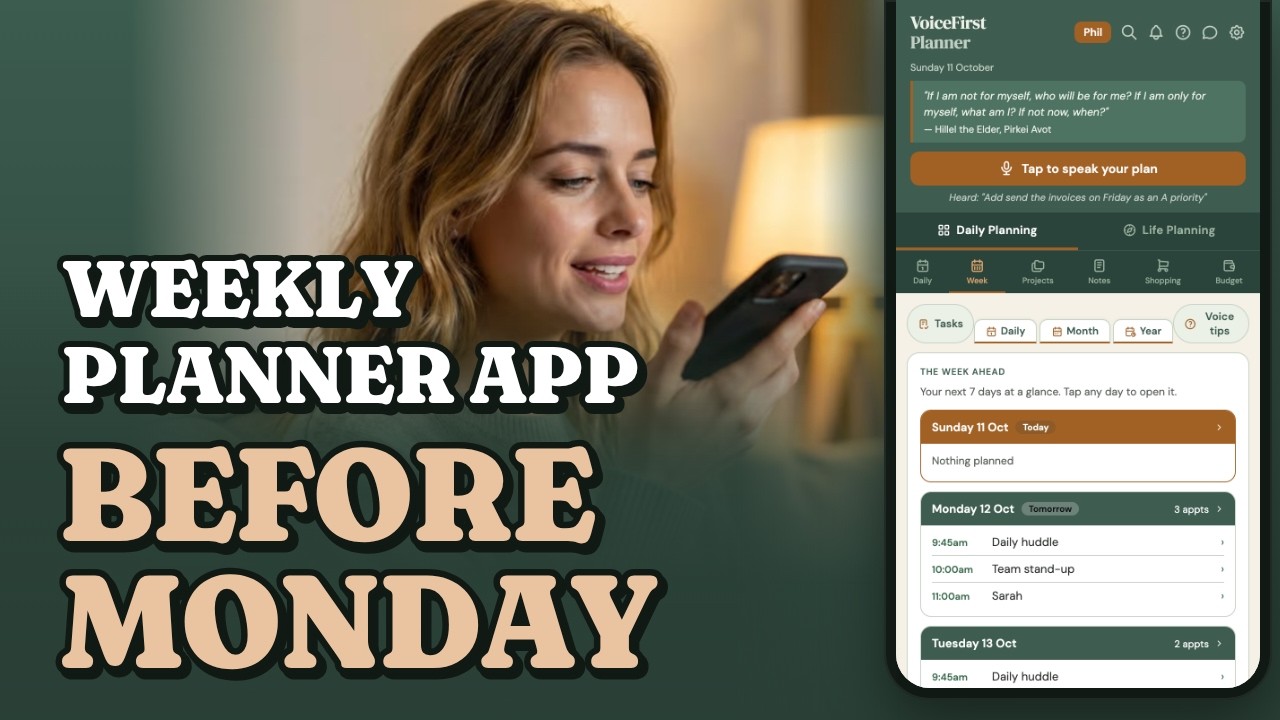
Prefer YouTube? Watch it there ↗
“Every Sunday night for fifteen years I read the week ahead off two paper pages. The weeks that went well were never the easy ones — they were the ones I’d seen coming.”
The free plan is a working planner, with limits. Premium takes every limit off. More on the weekly planner → How work’s calendar comes in →
Researchers gathered every experiment they could find on one simple question, and combined 94 of them, covering more than 8,000 people. In every one, some people just set a goal. Others also decided in advance exactly when and where they would act on it: “if it’s Tuesday at two, I’ll make the call.”
Deciding the when and where produced a medium-to-large improvement in whether people actually followed through, on top of the effect of having the goal at all. It held for health goals, work, study and personal goals alike.
The reason is simple. Once the moment is decided, the moment itself does the reminding. You no longer have to remember, weigh it up, or feel motivated at the right time. You just arrive at Tuesday at two.
Intending to do something is cheap. Deciding Tuesday at two is what makes it happen, and a week you can see on Sunday is a week you can decide about.
“It does not do to leave a live dragon out of your calculations, if you live near him.”
J. R. R. Tolkien, The Hobbit, 1937
Tolkien wrote it in chapter twelve, as Smaug wakes to find a cup missing from his hoard. The dragon this week is usually the one big job. Give it a day and a time first, then check the Week view and plan the rest around it.
Franklin planned by the week.
“I rul’d each page with red ink, so as to have seven columns, one for each day of the week.”
Benjamin Franklin, Autobiography
He kept a little book with a page for each of the virtues he was working on, and “determined to give a week’s strict attention” to one at a time. Seven columns, looked at every evening: a weekly planner, in 1733.
“Take vitamins every day at 8am”
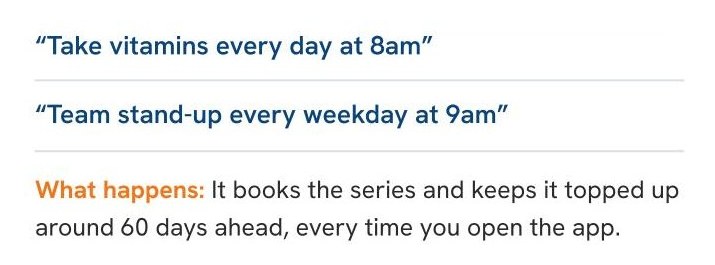
It books the series and keeps it topped up around 60 days ahead, every time you open the app.
Voice Command Guide, Chapter A, page 2 →A notes app you talk to: the thought you don’t want to lose, kept and findable
The good ideas never arrive at the desk. They arrive in the car, in the shower, halfway up a ladder.
Half of what crosses your mind isn’t a task. It’s a maybe, a reference, a thing worth keeping that doesn’t belong on today’s list. Notes hold those without cluttering the day.
Taking voice notes is one word. Start with “Note”, “Remember” or “Idea”, and it’s kept in your notes, in your own words. Skip the word and the line becomes a task instead. As a notes app for iPhone and iPad, it runs in the browser, so there’s nothing to install.
“Remember where I parked — level 3, bay 12”
Filed in Notes, in your own words.
“Idea: a referral program for power users”
Kept in Notes, tagged as an idea.
Then find it again. One search field sits behind the magnifier in the top bar of every screen, and it listens. Say “Find the roofer” and the Find anything panel opens with the results already filled, grouped by kind: tasks, notes, appointments, projects, shopping, goals, the bucket list and reflections. Tap a result and you land on the real thing.

Prefer YouTube? Watch it there ↗
“The best ideas I ever had arrived in the workshop with both hands full. I’d tell myself I’d write it down at smoko. Some of those ideas I still try to remember.”
Ten notes on the free plan, and search is free on every plan. Premium takes every limit off. More on voice notes →
Saving it frees your mind, if you trust the save.
Twenty students sat at computers and studied pairs of short files, each a list of ten everyday words. They had twenty seconds with the first file, then twenty seconds with the second, and were tested on the second straight away. In half the rounds they saved the first file to a folder before moving on. In the other half they simply closed it.
Saving the first file helped people remember more of the second. A second group of 48 students repeated it and got the same result. The researchers also tested what happens when people doubt the save: students were told the saved file might not be reliably there when they went back for it. Told that, they lost the benefit: their memory for the second file was the same whether they had saved the first or not.
The study was a short memory test, not a planner. But it points one way: what freed people to take in the next thing was a save they trusted.
That’s the whole job of Notes and Find anything: somewhere you know you can find it again, so your head can put it down and get on with the next thing.
“Order and simplification are the first steps toward the mastery of a subject.”
Thomas Mann, The Magic Mountain, 1924 (in English)
Said by Settembrini, the talkative Italian in Mann’s novel about a young man who visits a mountain sanatorium for three weeks and stays seven years. Search finds anything across the planner, on every plan: order, without having to file everything first.
Make a memorandum of it.
“The horror of that moment,” the King went on, “I shall never, never forget!” “You will, though,” the Queen said, “if you don’t make a memorandum of it.”
Lewis Carroll, Through the Looking-Glass
The White King then takes an enormous memorandum-book out of his pocket and starts writing. In the planner it takes less: say “Note:” and the thing, and it’s kept.
“Find the roofer”
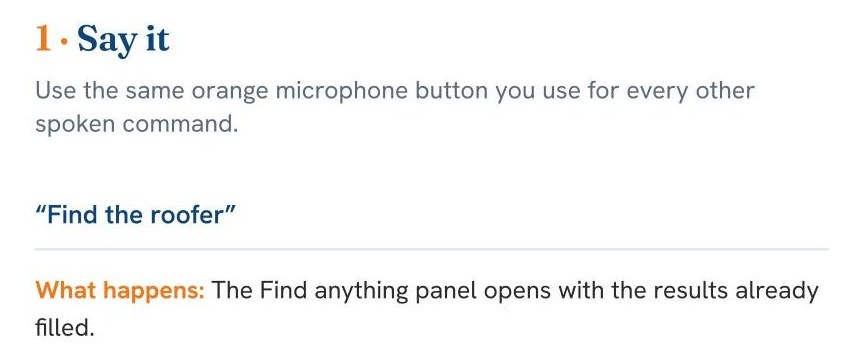
The Find anything panel opens with the results already filled.
Voice Command Guide, Chapter C, page 6 →A grocery shopping list app: say it at the fridge, and it’s on the list at the shop.
You remembered the milk at the fridge. And forgot it at the shop.
The moment you notice you’re out of something is never the moment you’re buying it. Whatever holds the thought in between has one job, and a scrap of paper on the bench usually fails it.
So say it the second you notice. Close the fridge, tap, and it’s on the list before the door shuts.
“Add butter to my shopping list”
On the list before the fridge door shut.
Several things in one breath. Join them with “and” and each one becomes its own tick-box.
“Add bread and coffee and batteries to my shopping list”
Three items, one breath.
Tick as you shop. A ticked item stays on the list, struck through, so you can see what you’ve already got. Clear completed sweeps the finished ones when you’re back at the car, and nothing unticked is ever cleared.
Not just groceries. Say a different list’s name, hardware or travel, and the list is created on the spot with the items already in it.

Prefer YouTube? Watch it there ↗
“I once drove back to the same shop three times in an afternoon. The list was on the bench at home, doing nothing.”
It’s a free shopping list app to start: one list on the free plan. Premium adds unlimited named lists. More on the shopping list app →
A reminder you trust beats a memory you hope for.
Psychologists call it cognitive offloading: using a note, a reminder or a list to take load off your mind. It’s normal, it’s useful, and it has trade-offs.
In one study of more than a thousand people, researchers gave people things to remember to do later in a task, with the option of setting themselves reminders. People set more reminders when they had more to hold or kept being interrupted. And those who used reminders were better at remembering to do things later, and interruptions stopped tripping them up.
The honest part: when the same researchers set a real-world task for up to a week later, the link with reminders was weak.
That’s the shopping list’s whole job: quick enough to catch the thought at the fridge, and on the phone in your hand at the shop.
“Order is Heav’n’s first law.”
Alexander Pope, An Essay on Man, 1734
Pope meant the order of the universe; generations of parents have used it about bedrooms. The shopping list keeps itself in one place, ready when you get to the shop.
Even Franklin found Order hard.
“Let all your things have their places; let each part of your business have its time.”
Benjamin Franklin, Autobiography
He admitted: “My scheme of Order gave me the most trouble.” With “an exceeding good memory,” he wrote, he was “not so sensible of the inconvenience attending want of method.” Most of us trust memory the same way, right up to the shop.
“Add milk, eggs and bread to my shopping list”
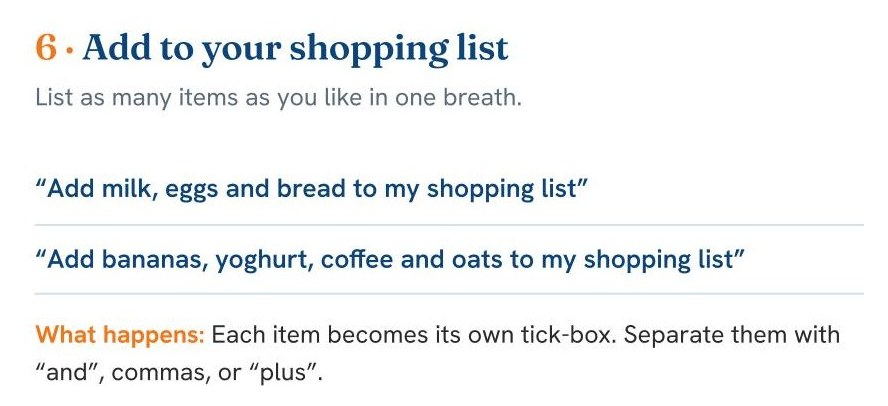
Each item becomes its own tick-box. Separate them with “and”, commas, or “plus”.
Voice Command Guide, Chapter B, page 4 →Projects: every job in one place, and always a next step
A job with parts never lives in one place. The quote is in an email, the measurements are on a scrap of timber, and the next step is in your head.
What is a project planner for? Keeping a job’s parts together: its next steps, its money (the budget, what’s spent, the quotes), its materials, its notes and its files. A renovation, a construction job or a woodworking project: each one gets its own place.
“Start a project called Garden Shed”
It creates the project, ready for its first step.
Then open the project and say it to the job. Each line lands where it belongs.
“Spent $412 on lumber”
Into the project’s Money.
“Quote from Hill Roofing, $1,850 for the roof”
Into its Quotes.
“Next step: pour the slab on Friday”
Into Next steps, and onto Friday.
Say “Send the materials to the hardware list” and they go to the Hardware list in Shopping, ready for the store.

Prefer YouTube? Watch it there ↗
“Every boat I built had a folder, a notebook, a phone full of photos and a head full of things I meant to write down. Four systems for one job, and the answer was always in whichever one I didn’t have with me.”
On the free plan: two projects, and three photos and files across all projects. The hardware list is on Premium. Premium takes every limit off. More on the project planner app →
Researchers gave people goals and left them unfinished, then set them to unrelated work, like reading a novel. The unfinished goals kept intruding: worse focus, more distraction, more of the open job leaking into the reading.
Then came the key change. Some people were asked to make a specific plan for finishing the task, without doing any of it. Those people showed no interference at all. Nothing had been done; it had only been decided. The task wasn’t done, but the mind let it go.
The fair caution: that’s one lab’s set of experiments, not yet repeated by others. And a large later review of decades of studies found that unfinished tasks aren’t reliably remembered better, but people do feel a consistent pull to go back to them.
That’s why every project has a next step with a day on it. A pile of notes about the shed is a worry. “Pour the slab on Friday” is a plan.
“Nothing will ever be attempted if all possible objections must be first overcome.”
Samuel Johnson, Rasselas, 1759
Johnson wrote Rasselas in about a week in 1759. The line is said by an inventor building a flying machine, who is about to try it himself. Start the project before it is perfect: a name and one next step is enough.
One thing at a time.
“I judg’d it would be well not to distract my attention by attempting the whole at once, but to fix it on one of them at a time.”
Benjamin Franklin, Autobiography
Franklin was working on thirteen things, and gave each one its turn. A project works the same way: the whole job lives in the project, and only the next step goes on the day.
“Next step: pour the slab on Friday”
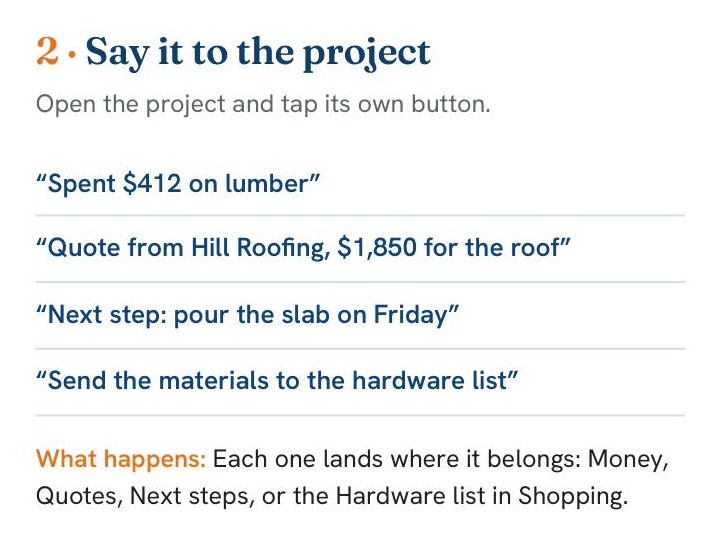
Each one lands where it belongs: Money, Quotes, Next steps, or the Hardware list in Shopping.
Voice Command Guide, Chapter B, page 3 →A simple budget planner: what’s left, not what you spent
On a Wednesday, standing in the shop, the only useful question is how much is left for food this week.
Most budgeting apps are a report of the damage: at the end of the month, what you spent on food. That number arrives too late to do anything about. This budget is a page of envelopes: what each line gets this week, what has gone out, and what is still in it.
Four columns, and the last one is the one you came for. Carried forward, plus this week, minus spent, equals left.
Say the spend as it happens, from any page in the planner.
“I spent forty dollars on petrol”
A sheet shows the line, the amount and the week. Change any of the three, then Add.
Nothing is written until you have seen it, because money is the one place a mishearing costs something. The week closes on Sunday, and whatever is left in each envelope carries forward. The months and the year fill up behind you, so you find out what each line really costs.
Your money stays yours. There’s no bank connection, and it never asks for one. Nothing of your banking is anywhere.
There are plenty of guides on how to make a budget planner. This one’s shape isn’t our invention: it’s a spreadsheet a financial controller has run their own money on for over twenty years. One page. Thirty envelopes. A balance that carries.

Prefer YouTube? Watch it there ↗
Budget is on Premium and above. The free plan gives you three lines, one income line and one account, working exactly as they will on Premium. More on the budget planner →
“Money is a good servant but a bad master.”
Proverb
An old proverb in English and in other languages. Francis Bacon is often given it; the nearest he came was a line in a Latin work of 1623: riches are a good handmaid, but the worst mistress. Say what you spent and the money gets counted while you still remember it.
Budget the hours too.
“You wake up in the morning, and lo! your purse is magically filled with twenty-four hours.”
Arnold Bennett, How to Live on 24 Hours a Day
Bennett opened his book with money: articles on how to live on such-and-such a sum were everywhere, he said, but he had never seen one on how to live on twenty-four hours a day. People say time is money. “That proverb understates the case,” he wrote.
“Groceries, a hundred and forty five fifty”
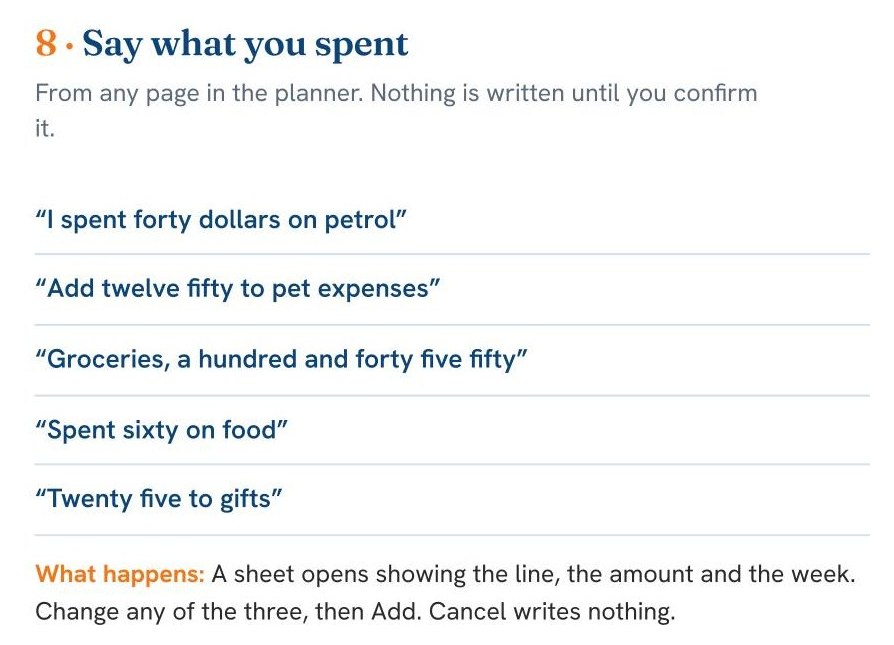
A sheet opens showing the line, the amount and the week. Change any of the three, then Add. Cancel writes nothing.
Voice Command Guide, Chapter B, page 5 · Premium →A brain dump app: say everything at once, and get it back sorted
Some mornings there’s too much in your head to say it one line at a time.
A brain dump is getting everything out of your head at once. With Pro, say it all in one go: the tasks, the appointments, the shopping, the idea you can’t afford to lose. It comes back sorted into a proposal, each item dated where you gave a day, on a review sheet. Nothing goes into your planner until you approve it.
“I need to service the van, call the roofer Wednesday, get the Ellerslie quote out Friday and pick up the plants”
Sorted, dated and banded, on the review sheet.
Pro can also draft goals linked to your life roles, and plan a week of small steps toward a goal you pick.

Prefer YouTube? Watch it there ↗
The brain dump is part of Pro, with AI goal setting and the weekly action breakdown. More on the brain dump → What Pro adds →
A specific list for tomorrow, and people fell asleep faster.
In one sleep-lab study, people spent five minutes before bed writing. Some wrote a to-do list for the coming days. Others wrote a list of what they had already done. Then the researchers measured, with brain-wave recordings, how long each person took to fall asleep.
The to-do list group fell asleep faster. And the more specific the to-do list, the faster they fell asleep. For the list of things already done, it went the other way.
The fair caution: it was one night in a sleep lab, with young, healthy sleepers, and the lists were written. It’s a pointer, not a promise.
That’s the idea behind the brain dump: the coming days, said specifically, sorted and dated, and put somewhere you can see them.
“Not everything that is faced can be changed; but nothing can be changed until it is faced.”
James Baldwin, 1962
Baldwin wrote it in The New York Times Book Review in January 1962, in an essay called As Much Truth As One Can Bear. A brain dump is the facing part: everything on your mind, said out loud, where you can see it.
Simplify, simplify.
“Our life is frittered away by detail. … Simplicity, simplicity, simplicity! I say, let your affairs be as two or three, and not a hundred or a thousand.”
Henry David Thoreau, Walden
Thoreau wrote it in Walden. The brain dump takes the hundred and gives you back the two or three: what’s for today, what has a day, and what can wait.
“Break my half-marathon goal into this week, nothing on Sunday”
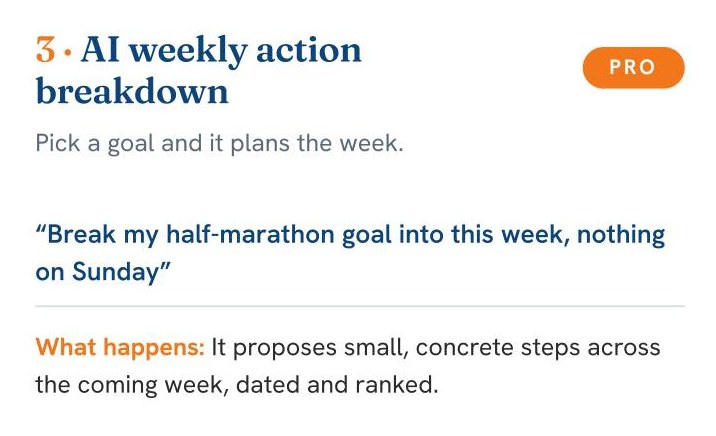
It proposes small, concrete steps across the coming week, dated and ranked.
Voice Command Guide, Chapter E, page 10 · Pro →For a busy mind: an ADHD planner app that works with it, not against it
You know exactly what needs doing. The day still happens to you.
The list lives mostly in your head, which means holding it costs effort all day long. Starting is a wall. Twenty items scream equally. And the app you tried last time reset your streak the first day you missed.
As a daily planner for ADHD adults, it was built around four choices that suit a busy mind. Nothing has to live in your head: say it and it’s captured, dated and filed. Capture happens at the moment, not at the desk. Time is visible: the schedule, the carried-days tag, the week and month at a glance. And there are no punishment mechanics: tasks carry forward without shame, and a missed habit day never wipes the days you did.
“Add call the accountant as an A priority”
Filed at the top before the thought could leave.
Call four things an A and the planner says so: “When everything is the top priority, nothing is. Which one or two truly matter most? The rest can be B’s.” Two decisions run the day instead of twenty.

Prefer YouTube? Watch it there ↗
“I’ve watched good, capable people give up on planning because the system punished them for one bad week. The system was the problem. It usually is.”
Free to start, with no card. It’s the same planner everyone uses, built from the start around these four choices. More on the ADHD planner →
The if-then plan was tested with children with ADHD, too.
The research on deciding when and where you’ll act, the 94 studies under the week, is the mechanism this whole planner is built on: once the moment is decided, the moment does the reminding, so you don’t have to hold it in your head.
The same research group later tested it specifically with children with ADHD. The if-then plan lifted their response inhibition, the ability to hold back an automatic reaction, to the level of children without ADHD.
Those were children in a study, not adults with a busy week. But the mechanism appears to work hardest for exactly the people planning tools usually fail.
That’s why a time said is a time booked: “Dentist on June 11 at 2pm” is an if-then plan the moment you say it, and the day page holds it so your head doesn’t have to.
“The secret of change is to focus all your energy not on fighting the old, but on building the new.”
Dan Millman, 1980 (often credited to Socrates)
It comes from Dan Millman’s Way of the Peaceful Warrior, published in 1980, said by an old gas station attendant Millman nicknamed Socrates. No streak to fight and no list to rewrite: just the next thing.
Be content with quite a little.
“Beware of undertaking too much at the start. Be content with quite a little. Allow for accidents. Allow for human nature, especially your own.”
Arnold Bennett, How to Live on 24 Hours a Day
Bennett’s warning was against “your own ardour”: the burst of enthusiasm that “is eager to move mountains” and then “wearies all of a sudden and dies.” One focus and two A’s is quite a little, and it’s enough.
“Set my focus to finishing the report”
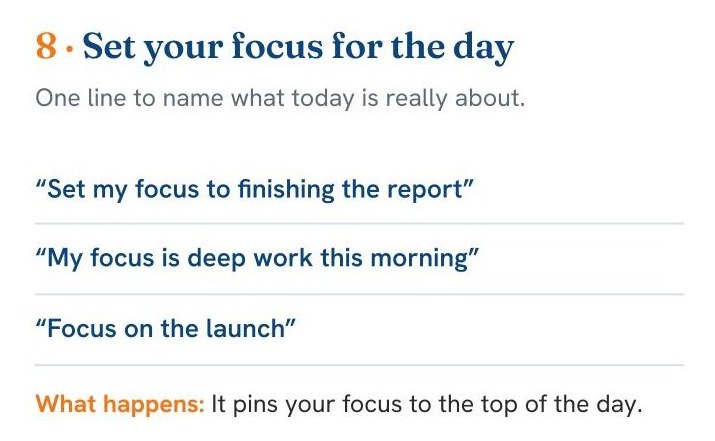
It pins your focus to the top of the day.
Voice Command Guide, Chapter A, page 2 →The life planner inside the day planner
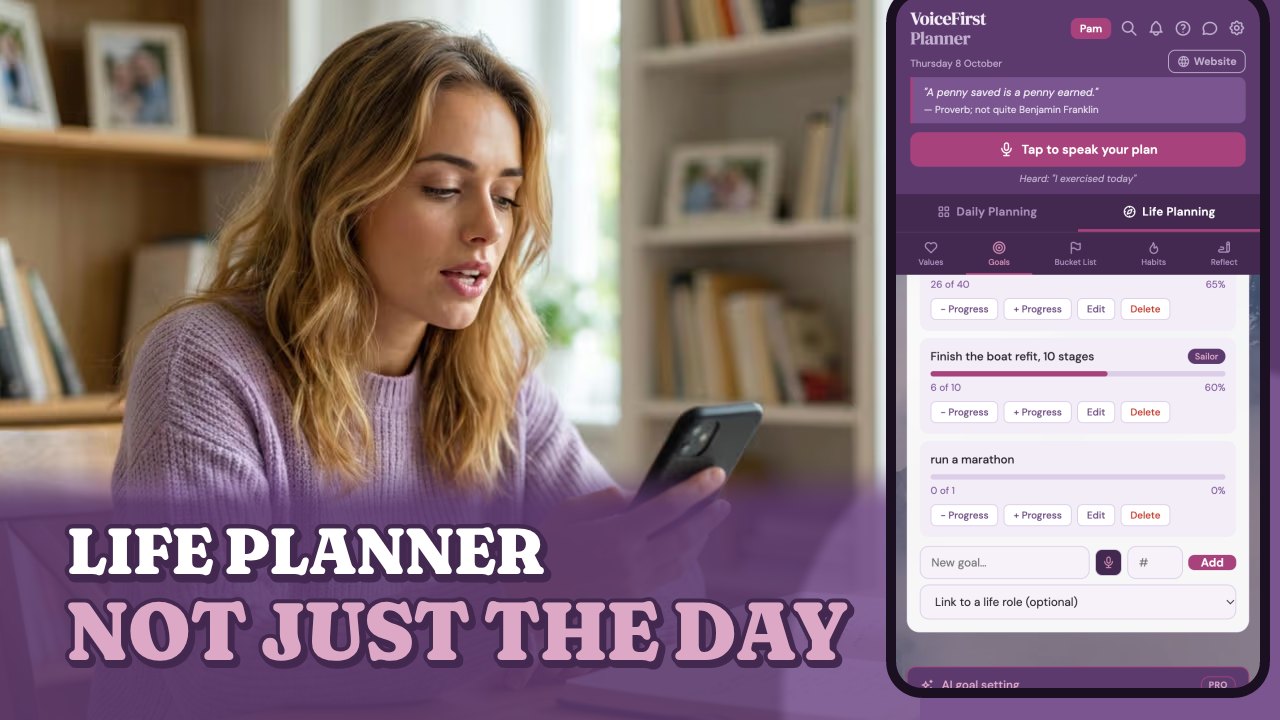
A day planner on its own keeps you busy. A life planner asks what the busy is for. VoiceFirstPlanner has both, in one place: it’s a day planner and a life planner app in one.
Over the years I did all sorts of courses on life planning, and read the books they were built on. Everything I took from them is built into this planner, and into the workbooks that go with it. The life planner has five parts: values and roles, goals, the bucket list, habits and a daily reflection. Each one takes minutes.
“I will not follow where the path may lead, but I will go where there is no path, and I will leave a trail.”
Prefer YouTube? Watch it there ↗
“Fifteen years of paper planners kept my weeks organized. Not one of them ever connected a Tuesday to anything bigger than the Wednesday after it. That connection is the whole reason this exists.”
Life planning is on the free plan, with limits. Premium takes every limit off. The whole loop, and how the parts connect →
Your core personal values and roles: who you are, before what you’ll do
Some goals are yours. Others you picked up from someone else: a parent, a boss, a feed. Both take the same effort. Only one of them is worth reaching.
Name your personal values in life, the things that matter to you, and the roles you carry: parent, professional, mentor. Each role has a line for what doing it well looks like, and your goals carry those roles.
“Add honesty, courage and kindness to my values”
Added to your Values. Use “and” or commas to add several at once.
“Add parent and professional to my life roles”
Added to your roles. Tap a role to define what success looks like in it.

Prefer YouTube? Watch it there ↗
“I ran a paper planner for fifteen years and it never once asked me why. It held the appointments and the lists and it did that well. But the question underneath — is this the day I meant to have — that one I had to keep asking myself. This is the part I wish I’d had.”
Five values on the free plan, and the pages are all there from the start. Find your personal values →
Whose goal it is decides whether reaching it feels like anything.
Read the research →Researchers followed people pursuing their own real goals across a semester and beyond. They didn’t score the goals themselves. They scored the reasons behind them: pursued out of personal values and genuine interest, or out of outside pressure, obligation and guilt. Then they tracked effort, how far people got, and how they felt over time.
Goals that fit a person’s own values drew more sustained effort, and that effort produced more of the goals being reached. The sharper finding came next: reaching a goal that was truly your own improved well-being. Reaching a borrowed one did not.
The same achievement, on paper, paid out completely differently depending on whose goal it had been all along.
That’s why the life planner opens with values and roles before it ever asks for a goal, and why a goal can carry a role: “as a dad” isn’t decoration, it’s the part that makes reaching it count.
“Not everything that can be counted counts, and not everything that counts can be counted.”
William Bruce Cameron, 1963 (often credited to Albert Einstein)
A sociologist, William Bruce Cameron, wrote it in a 1963 book called Informal Sociology; the Einstein credit came later. Goals in the planner have bars that count. Values, on their own page, hold the things that count and can’t be counted.
Name them, with a line each.
“I included under thirteen names of virtues all that at that time occurr’d to me as necessary or desirable, and annexed to each a short precept.”
Benjamin Franklin, Autobiography
Franklin’s list was short names, each with one line saying what it meant. “Order. Let all your things have their places.” Values and roles in the planner work the same way: the word, and a line for what it looks like.
“Add mentor to my roles”
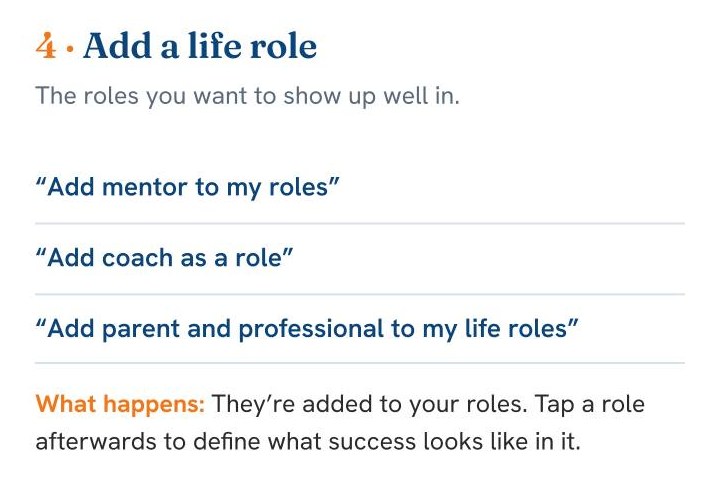
They’re added to your roles. Tap a role afterwards to define what success looks like in it.
Voice Command Guide, Chapter D, page 7 →A goal setting app and a bucket list: someday, then a number and a date
“Read more” is a mood. “Read 24 books this year” is a target with an edge.
A goal gets a number and a role, and a bar that shows how far it has come. Eighteen of twenty-four books is something you can see in June, not find out in December.
“Add goal read 24 books this year”
Created in Goals. Set the target number to switch on the progress bar.
And the bucket list holds the somedays. Big dreams and small ones go on it in a sentence, and when one is done, a tap crosses it off and it stays on the list.
“Add learn to sail to my bucket list”
It drops straight onto your bucket list.
A bucket list is a goal that hasn’t been given a date yet. Your bucket list ideas for life go on it as they come, in your own words. When one stops being someday and starts being this year, Goals sits in the same section, ready to give it a number and a date.

Prefer YouTube? Watch it there ↗
“For years my goals were whatever the business needed next. I hit most of them. I could not have told you why any of them mattered, only that they were on the list and the list was mine. The ones I remember are the ones I picked as a father, not as an owner.”
Three goals on the free plan. Premium takes every limit off. The goal planner → Make a bucket list →
Specific and challenging beats “do your best”. For 35 years.
Read the research →Two researchers spent 35 years building and testing one idea about goals, then pulled the whole program together in a single review: hundreds of studies, in laboratories and in workplaces, across more than a hundred different tasks, from logging crews to engineers to students, in several countries.
Specific, challenging goals reliably beat vague ones (“do your best”) and easy ones. It’s one of the most repeated results in the study of work. Specific goals work through four routes: they hold your attention, they get you to put in effort, they keep you going longer, and they push you to find better ways. Commitment and feedback make the effect stronger.
“More”, “better” and “someday” give your mind nothing to lock onto. A number and a date do.
That’s why a goal in the planner asks for a number, and why the bar is there: the number gives it an edge, the role gives it commitment, and the bar is the feedback.
“Nothing ever comes to one, that is worth having, except as a result of hard work.”
Booker T. Washington, Up from Slavery, 1901
Washington was born into slavery in Virginia and became the head of the Tuskegee Institute in Alabama. A goal’s bar in the planner moves only when you log progress. Nothing fills it but the work, which is the honest part of it.
Put the foundations under them.
“If you have built castles in the air, your work need not be lost; that is where they should be. Now put the foundations under them.”
Henry David Thoreau, Walden
The bucket list is the castles. A goal, with its number and its date, is the foundations. The planner keeps the two side by side so one can turn into the other.
“Add see the southern lights to my bucket list”
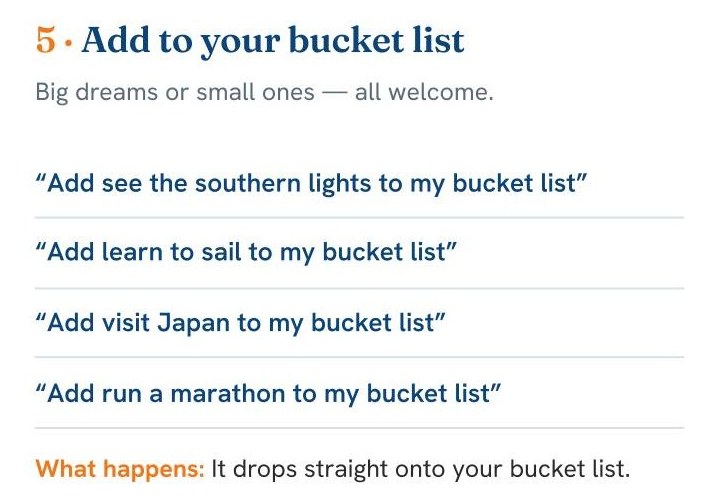
It drops straight onto your bucket list.
Voice Command Guide, Chapter D, page 8 →A daily habit tracker: show up more days than not, and a missed day is just a day
Most habit trackers run on streaks. Miss a day and the number resets, which turns one ordinary lapse into a reason to stop.
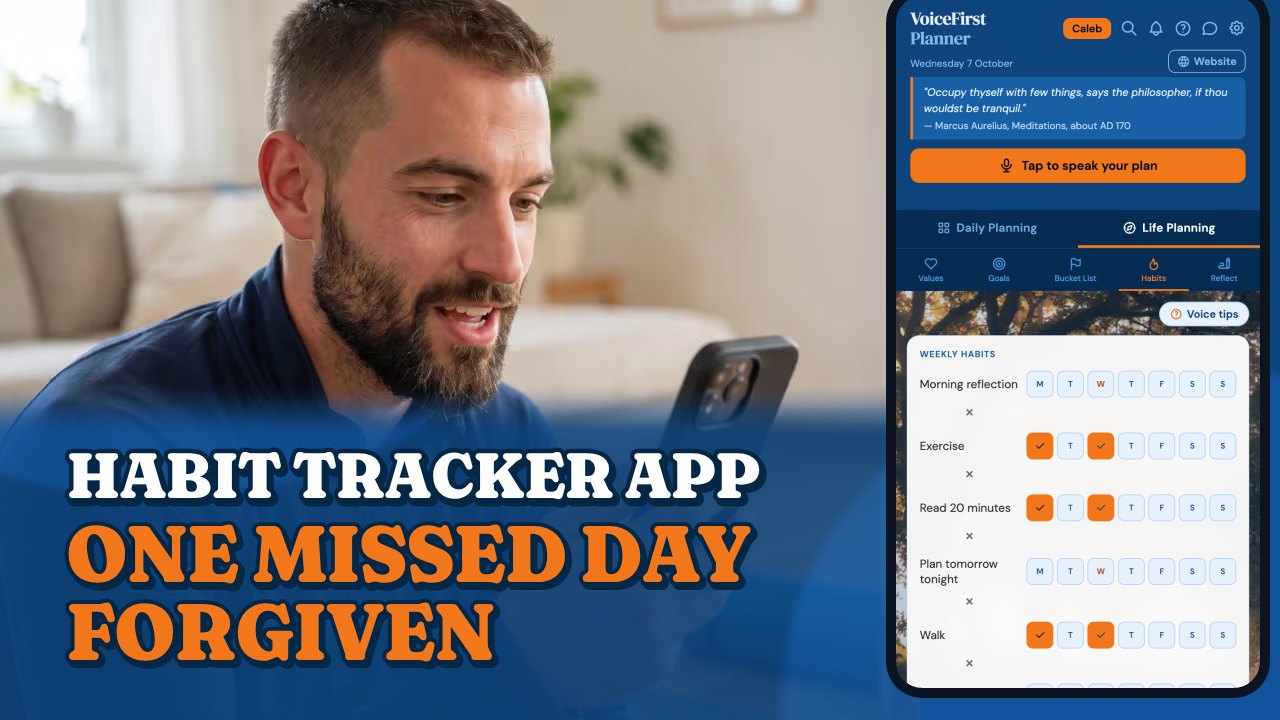
This is a planner with a habit tracker built in. Say you did it, in your own words, and today’s box is ticked for the matching habit.
“I went for a run”
It ticks today’s box for Run.
One missed day is forgiven and the run carries on. Miss a second and it starts again, but the best run you ever reached stays on screen, so a reset never wipes out what you did.
Prefer YouTube? Watch it there ↗
“I have started more things on a Monday than I can count, and quit most of them on a Thursday. Never because the thing was wrong — because I missed a day and the missing became the story.”
A free habit tracker to start: four habits on the free plan, unlimited on Premium. The habit tracker app →
Researchers asked 96 volunteers to each choose one everyday behaviour, something to eat, drink or do, and tie it to a daily moment such as “after breakfast”. Every day for twelve weeks, people recorded whether they’d done it and how automatic it felt. Unlike most habit research, this ran in people’s ordinary lives rather than a laboratory.
Repeating the behaviour at the same moment steadily made it more automatic, until it levelled off. How long that took varied enormously: from 18 days to 254, depending on the person and the habit. The popular “twenty-one days” isn’t in the research. And the finding that matters most: missing a single day did not materially affect the process.
A habit is a behaviour tied to a moment in your day, built by showing up more days than not.
That’s why the planner forgives a missed day and keeps your best run in view. Miss a day; pick it up tomorrow. That’s the whole recovery plan.
“Habit is habit, and not to be flung out of the window by any man, but coaxed down-stairs a step at a time.”
Mark Twain, Pudd’nhead Wilson, 1894
Twain opened each chapter of Pudd’nhead Wilson with a saying from the hero’s own calendar, and this one heads chapter six. The Habits page counts one day at a time and keeps your best run. A step at a time is exactly how it adds up.
Franklin’s little book of days.
“I might mark, by a little black spot, every fault I found upon examination to have been committed respecting that virtue upon that day.”
Benjamin Franklin, Autobiography
Seven columns for the days, a red line for each virtue, a black spot for each slip, marked every evening. He found more spots than he expected, “but I had the satisfaction of seeing them diminish.”
“I drank my water”
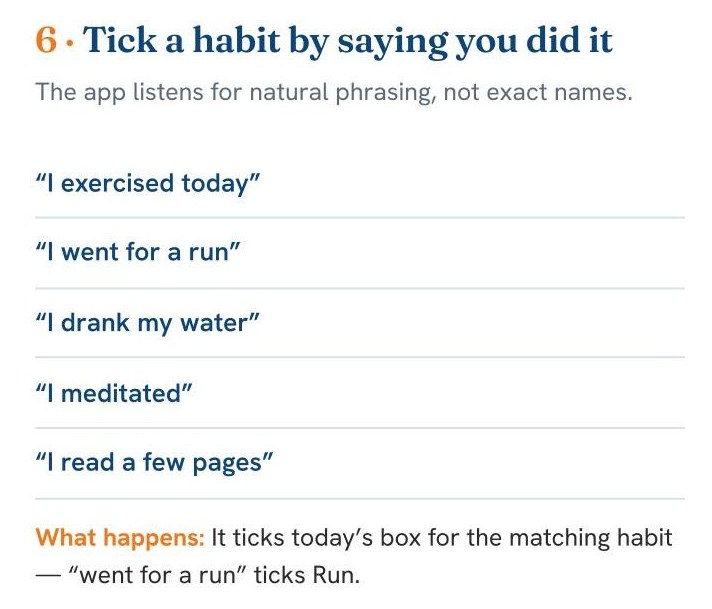
It ticks today’s box for the matching habit.
Voice Command Guide, Chapter D, page 8 →A daily journal app: five minutes that bank the day
The day ends, and you can’t feel that anything actually moved.
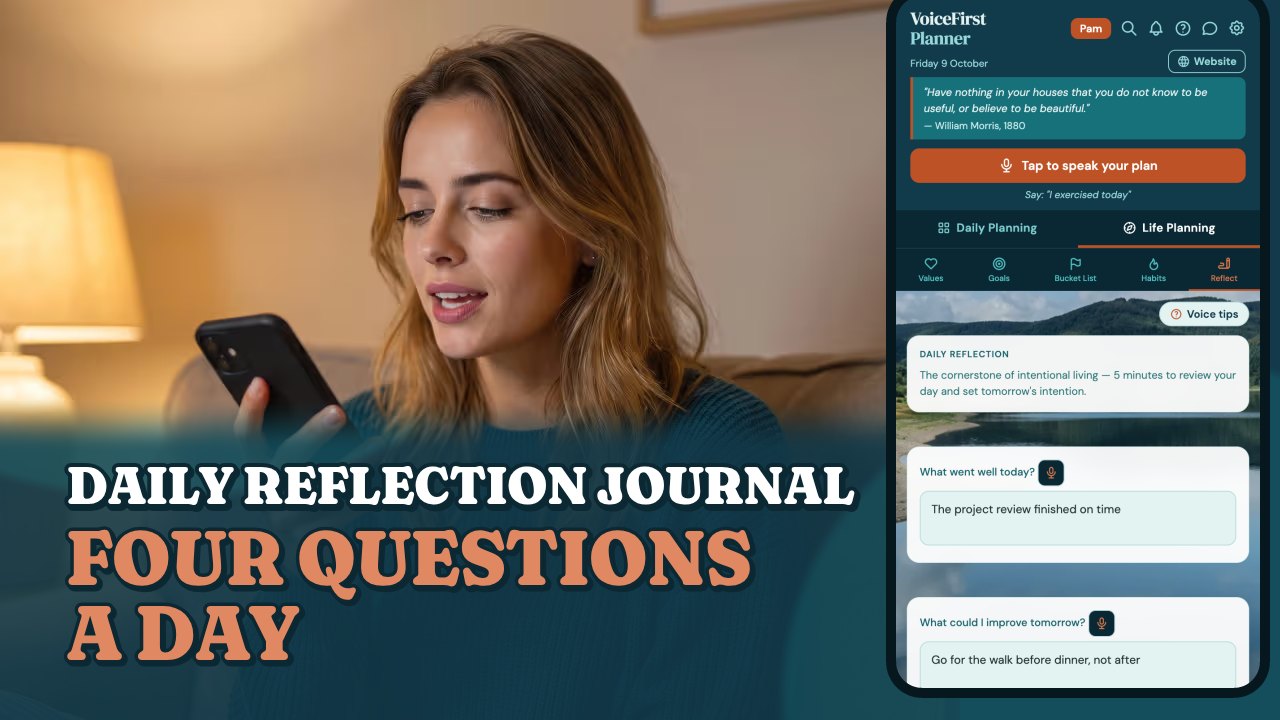
It’s a self-reflection journal you talk to. Four questions at the end of the day, each with its own mic: what went well, what you could improve, what you’re grateful for, and your intention for tomorrow. Then one line for what actually happened. It’s all saved under the date, and the days before stay there to read back.
Tomorrow opens already pointed somewhere, because the last thing you said today was your intention for it.
Prefer YouTube? Watch it there ↗
“Fifteen years of paper and I never once wrote down what went well. Plenty about what had to happen next. The years I remember properly are the ones where I stopped at the end of the day for long enough to notice it had been a good one.”
Daily reflection is on the free plan. The daily reflection journal →
Nothing lifted motivation more than progress you could see.
Read the research →Researchers asked 238 professionals across seven companies to keep a private diary at the end of every workday: nearly 12,000 entries, each rating motivation, mood and what had happened that day. Then they looked at which kinds of days produced the best inner working life, and which produced the worst.
Of everything that can happen in a working day, the single strongest lifter of motivation and mood was making progress in meaningful work, even small, step-by-step progress. The reverse was just as sharp: setbacks, and the feeling of spinning in place, drained motivation more than almost anything else.
Progress people could see was the fuel.
That’s what the reflection is for: it banks the day’s progress where you can see it, instead of letting it disappear with the list.
“Finish every day and be done with it. You have done what you could. Some blunders and absurdities no doubt crept in; forget them as fast as you can. Tomorrow is a new day.”
Ralph Waldo Emerson, letter to his daughter Ellen, 1854
Emerson wrote it to his daughter, away at school, in April 1854; it was first printed after his death. Daily reflection ends with your intention for tomorrow. Write it, save it, and be done with the day.
Franklin’s evening question.
“What good have I done to-day?”
Benjamin Franklin, Autobiography
Franklin’s plan for the twenty-four hours had a question for the morning, “What good shall I do this day?”, and one for the evening, with an “examination of the day” at the end of it. The reflection page is the same habit, spoken.
“I journalled today”
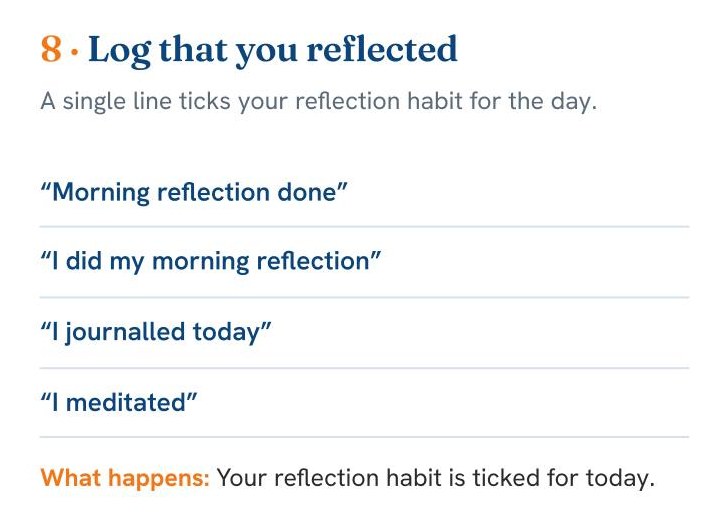
Your reflection habit is ticked for today.
Voice Command Guide, Chapter D, page 9 →A day planner for iPad, phone, laptop and desktop: the same planner on every screen
It’s on your phone, so it goes everywhere with you. Sign in on your tablet, laptop or desktop, and it’s the same planner, with today already open. It’s an iPhone planner app with nothing to download: it runs in the browser on every screen.
On the iPad it opens like a paper planner, two pages side by side, and you can write in it with the Apple Pencil. Planner view is part of the free plan, on iPad and desktop. And no more pages to add.
Three free books, so it’s easy to start
When I took up a paper planner, it came with a course, and learning to use the system properly could take up to a day. This one comes with three books instead, and all three are free when you create your free account:
The VoiceFirstPlanner Instruction Manual: the whole planner written down, 65 pages covering every screen, every spoken command and every tap path.
The VoiceFirstPlanner Voice Command Guide: every spoken command the planner understands, grouped by feature, five chapters. Every “Try saying” on this page comes from it.
The Voice First Life Planning System — Starter Workbook: values, goals, habits, dreams and every day, in one starter workbook. It’s $19.98 on its own.
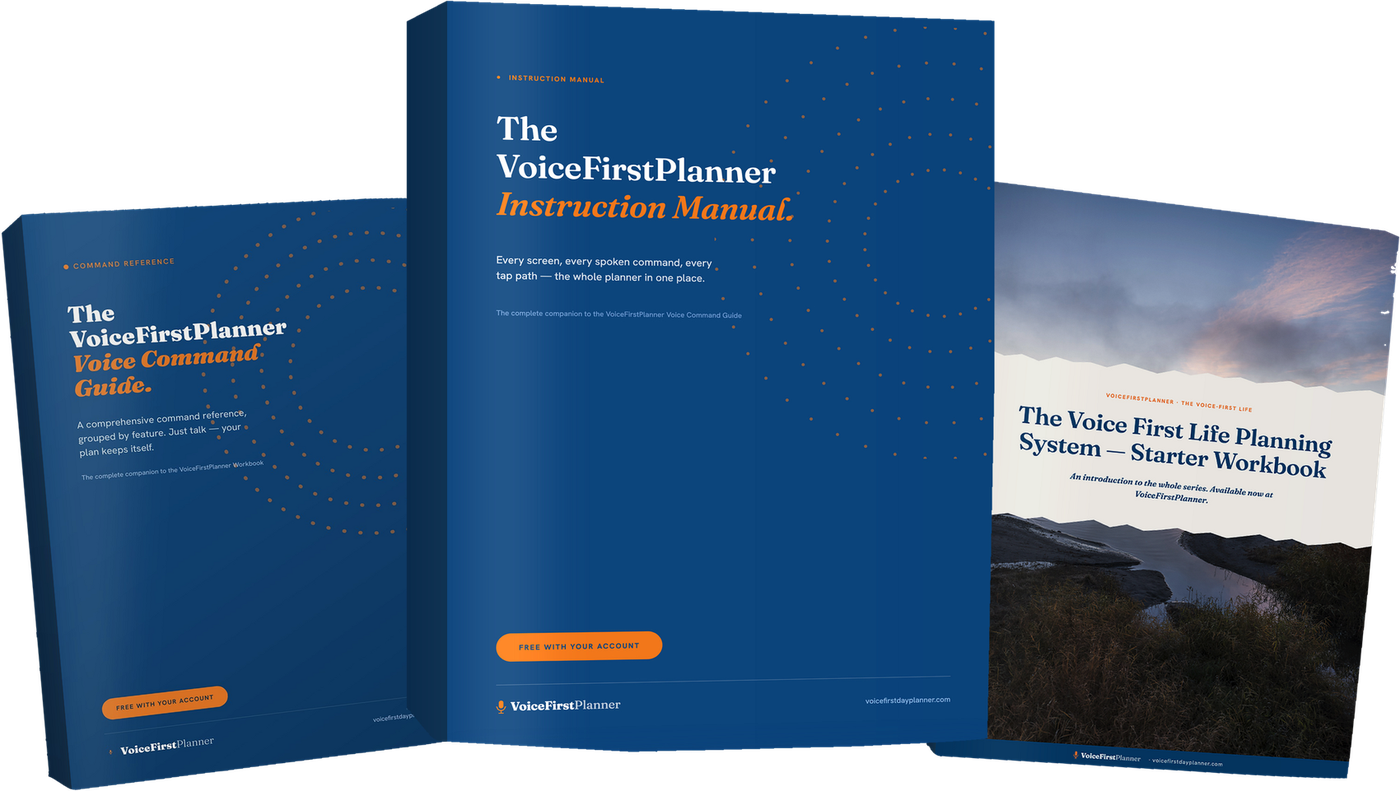
The workbooks and the research
The Starter Workbook opens a series: the eight guided workbooks of The Voice-First Life series, one for each part of the system: Values, Goals, Habits, Bucket List, Projects, Daily Planning, Week Ahead and Reflect. They’re printable PDFs, $18.99 each.
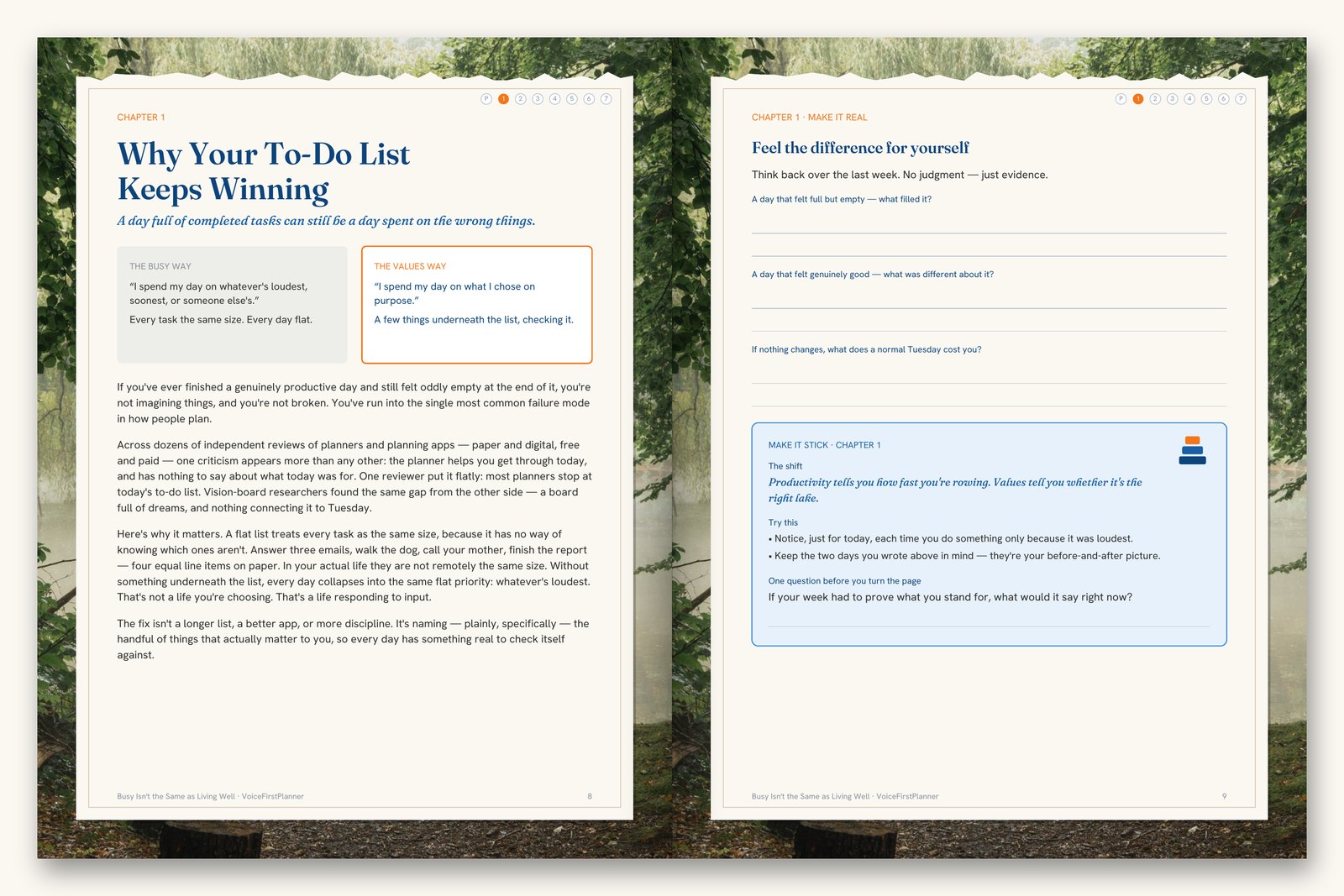

Why Planning This Way Works
The evidence behind the whole system is in one paper, Why Planning This Way Works: seven findings, written up in full, with every source to check for yourself. It’s $44.95, or included with Premium Annual, Pro Annual and Lifetime.
What each plan costs
- Up to 5 daily tasks with A, B, C priorities
- Daily focus setting
- 4 weekly habits
- 2 active projects (voice & text capture)
- Notes and quick capture
- Daily reflection journal
- Values and life roles (up to 5 values)
- Recurring appointments
- Persistent Tasks — carry forward until done
- Everything in Free, plus:
- Unlimited daily tasks
- Unlimited habits
- Unlimited projects (full voice & text capture)
- All your values, roles, and goals
- Recurring appointments and full schedule
- The Budget page — weekly envelopes, what’s left not what you spent
- Everything in the Values, Goals & Habits workbooks (annual)
- The research paper, Why Planning This Way Works (annual)
- Everything in Premium, plus:
- AI brain-dump — speak the mess, it sorts it
- AI goal setting and weekly action breakdown
- Four Voice-First Life workbooks + the research paper (annual)
- The Voice-First Life — the book, being written now. Free with Pro Annual when it publishes
- First access to Book 2 and Series 2, A Definite Purpose — Pro only
Lifetime · $99 one payment
Premium for life — not Pro. One payment, yours forever.
- The Budget page
- First access to everything coming
Lifetime is Premium for life, not Pro. Founding members can add Pro for $1.85 a month billed annually at $22.25, or $3.25 month to month — the same 75% off, applied to Pro.
Only 1,000 founding memberships. When they’re gone, this offer never returns.
Learn moreWho built it
I’m Dave. I served my time as a boatbuilder, then spent my working life in building and in my own businesses, planning all of it from a paper planner. Mine was a Franklin planner, from the early nineties. From boatbuilder, to business owner, to Founder.
VoiceFirstPlanner is the planner I spent twenty years looking for. I hope it does for you what it’s doing for me.
Common questions
What is a planner app?
An app that holds your day: tasks, appointments, notes and lists, in one place. VoiceFirstPlanner is a planner app you talk to, and it also holds the week, projects, a budget and a life planner, on your phone, iPad, laptop and desktop.
Is there a free planner app with no card?
VoiceFirstPlanner is free to start, with no card. The free plan is a working planner, with limits, and it comes with three free books: the Instruction Manual, the Voice Command Guide and the Starter Workbook. Premium takes every limit off.
Do I have to talk to it?
No. Voice comes first, but you can type anything instead, and on an iPad you can write with the Apple Pencil.
Does it work on iPhone and iPad?
Yes. It runs in the browser, so there’s nothing to install. On the iPhone it goes everywhere with you, and on the iPad it opens like a paper planner, two pages side by side. Sign in on a laptop or desktop and it’s the same planner.
Is it a life planner too?
Yes. Alongside the day planner are values and roles, goals with progress bars, a bucket list, habits and a daily reflection. A day planner and a life planner, in one place.
Every page you need, in one planner you just talk to.
VoiceFirstPlanner is free to start, with no card.
Start freeNot sure where to go next?
Start here: eleven reasons on one page →